Planning a meeting goes much better when everyone knows what is coming, but building an agenda from a blank page eats time you do not have. Below you will find free agenda formats matched to different meeting types, from a weekly team check-in to an annual board meeting. Each entry sets out what the download actually includes. It is written for team leads, office managers, board secretaries and volunteers who want a ready-made layout they can fill in and send out today.
Comparison at a glance
| Entry | Formats | Meeting type covered | Best for |
|---|---|---|---|
| Meeting Agenda Templates (18 Word designs) | MS Word | General, not split by type | Team leads, office managers |
| Annual Meeting Agenda Templates | MS Word | Annual board, general, management, project, retreat, staff | Boards, nonprofits, associations |
| Meeting Notes Templates | MS Word | Board, business, general, project, staff, team | Agenda plus action tracker |
| Meeting Minutes Templates | MS Word | General minutes | Recording the meeting |
| Printable Meeting Agenda | Word, Google Docs | Dozens of types | Google Docs users |
| Document eSign meeting agenda | Word, PDF, online | Formal, Robert's Rules | Formal groups |
| Attorney Invoice Templates | MS Word, MS Excel | Not stated (invoices) | Law firm billing |
1. Meeting Agenda Templates (18 Word designs)
See Meeting Agenda Templates →
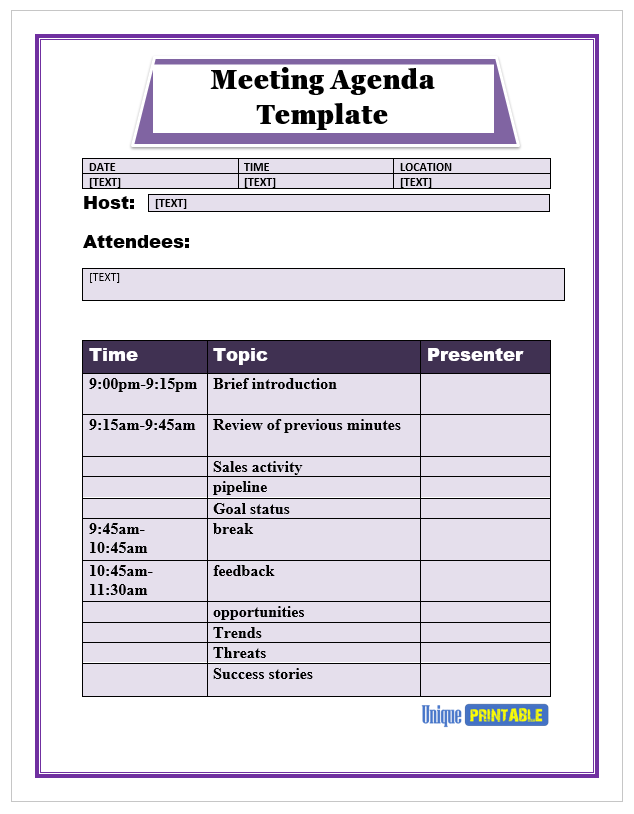
If you want a general sample format to fill in, this is the place to start. You get 18 free agenda templates, labelled Template 01 to Template 18, each downloadable in MS Word and described as free and customizable.
The page lists the elements a good agenda needs, and the templates follow that structure. You will find sections for the meeting title and basic details such as date, venue and time, plus the host, the facilitator and the participants. Each agenda item has a field for the person responsible and the time allocated to it, and there is space for resources or materials people should bring.
The one drawback is navigation. The templates are numbered rather than named by meeting type, so you will need to open a few to find the layout that suits your weekly check-in or department meeting.
Best for: Team leads and office managers wanting a general agenda to fill in
Pros
- 18 templates labelled 01 to 18, so there are plenty of layouts to choose from
- Downloadable in MS Word and described as free and customizable
- Fields for agenda items, the person responsible and time per item
- Sections for host, facilitator and participants, plus required resources or materials
Cons
- Word only, with no Excel or PDF format mentioned
- Templates are numbered rather than named by meeting type, so you have to open them to pick one
2. Annual Meeting Agenda Templates
See Annual Meeting Agenda Templates →
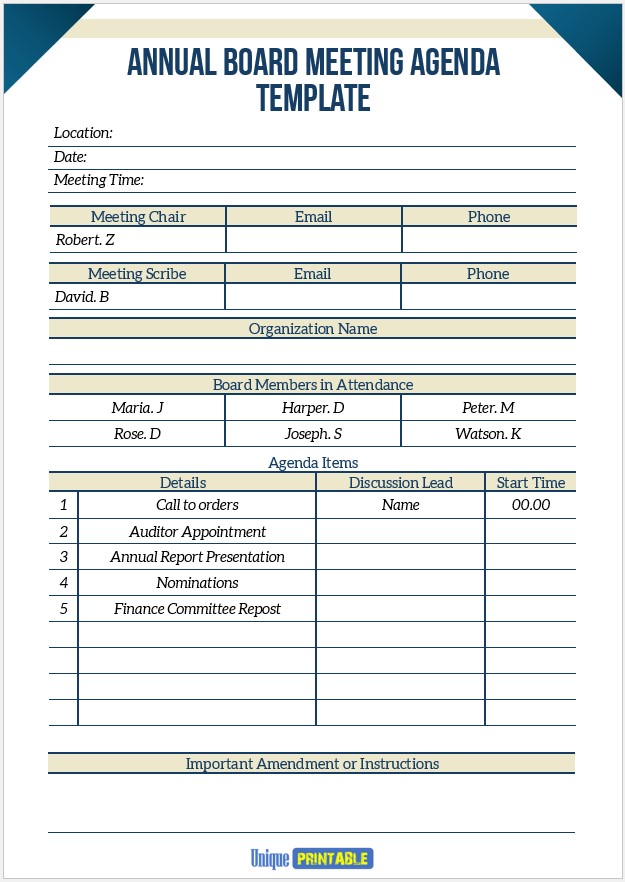
Yearly gatherings need more structure, and this set gives you six named templates: annual board, general, management, project, retreat and staff meeting agendas, all in MS Word. That naming makes it quick to grab the right one for an AGM or a board meeting.
The page explains the components an annual agenda should carry: date, time and venue, agenda items with time frames, a presenter or facilitator, and any reports or handouts needed. It also describes formal, informal and hybrid template types, so you can decide how much detail your meeting calls for. The page says the templates can be customized for company boards, non-profit assemblies or community associations. Be aware that much of the text is general meeting advice, and it does not lay out a formal order of business such as Robert's Rules.
Best for: Boards, nonprofits and associations running a yearly meeting
Pros
- Six templates for distinct meeting types, including annual board and annual general meeting
- Explains date, time, venue, agenda items, time frames, presenter and required materials
- Describes formal, informal and hybrid template types so you can pick the right level of detail
- Can be customized for company boards, non-profit assemblies or community associations
Cons
- Word only
- Does not show a formal order of business such as Robert's Rules
- Only covers annual meetings, so it is less useful for a weekly check-in
3. Meeting Notes Templates
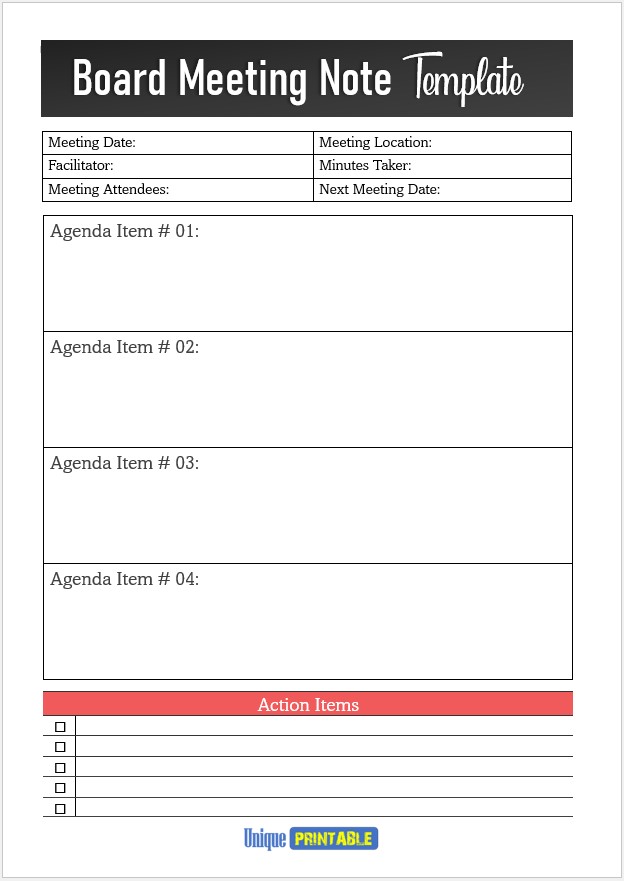
This is mainly a notes set, with six free Word templates for board, business, general, project, staff and team meetings. What makes it relevant here is that the page also describes a basic meeting agenda template, with rows and columns for the introduction, agenda items and action items.
It also covers an action item tracker that lists tasks, assigns responsibilities, sets deadlines and tracks progress. If you like to plan the meeting and capture its outcomes in one family of documents, this set does both.
Best for: People who want a basic agenda plus an action tracker in one set
Pros
- Includes a basic agenda template with introduction and agenda item sections
- Action item tracker covers responsibilities, deadlines and progress
- Six named templates: board, business, general, project, staff and team
- Free in MS Word
Cons
- The agenda is one template type among several, not the focus
- Word only, and no price is stated beyond calling them free
4. Meeting Minutes Templates
See Meeting Minutes Templates →
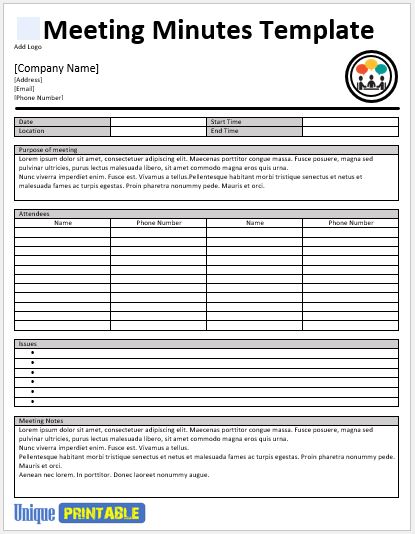
Strictly speaking this is not an agenda format, but it is the natural partner to one. Once your meeting has worked through its agenda, these 10 free Word templates help whoever is taking minutes record what happened.
The page says minutes should capture the date and time, location, attendees, agenda items and action items, and the templates include standard phrases for writing minutes. Each one has its own download button, so you can grab just the layout you like.
Best for: Whoever records the meeting after the agenda is done
Pros
- 10 free templates in MS Word, each with its own download button
- Covers date and time, location, attendees, agenda items and action items
- Includes standard phrases for writing minutes
Cons
- Does not provide an agenda layout itself
- Word only
5. Printable Meeting Agenda
If your team works in Google Docs, this outside option fills the gap. It offers free, editable Word and Google Docs agendas for dozens of meeting types, with no sign-up, and the page says they are free for personal and business use and print on Letter and A4.
It also sets out a handy eight-part order: title, date/time/location, attendees, objective, review of prior action items, timed agenda items with leads, any other business, and action items with the next meeting date. You can browse the collection at Printable Meeting Agenda.
Best for: Anyone who wants Google Docs or many meeting types without sign-up
Pros
- Word and Google Docs formats, which the site's own pages do not offer
- No sign-up, and free for personal and business use
- Prints on Letter and A4
Cons
- Not from this site, so check its terms yourself
6. Document eSign meeting agenda template
Formal groups that follow Robert's Rules may find this one useful. The template downloads as Word or PDF, or you can fill it in and sign online, and the page covers a Robert's Rules order of business with timed items. Robert's Rules of Order Newly Revised (12th edition) places carried-over items under "unfinished business and general orders" rather than "old business," a detail worth getting right on a board agenda.
One caution: the page gives conflicting statements about signing and notarization, so verify before relying on either. You can see the template on the Document eSign meeting agenda page.
Best for: Formal groups following Robert's Rules
Pros
- Word or PDF download, or fill in and sign online
- Covers Robert's Rules order of business and timed items
Cons
- Its page gives conflicting statements on signing and notarization, so verify before relying on them
- Check your bylaws, which override Robert's Rules
7. Attorney Invoice Templates
See Attorney Invoice Templates →
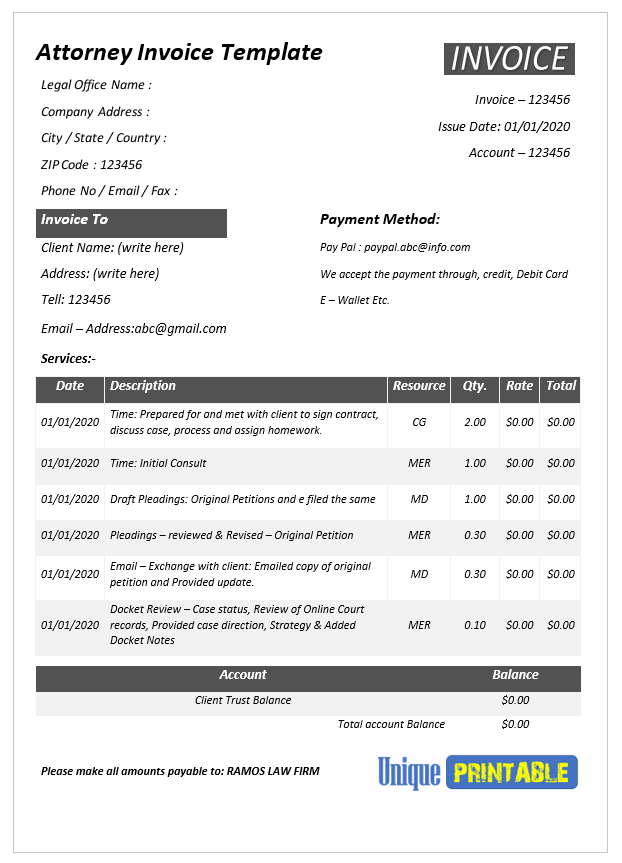
This one is not a meeting agenda at all, so skip it if all you need is an agenda. It is a set of 10+ free attorney invoice templates in MS Word and MS Excel, aimed at law firms and independent lawyers billing clients. The page covers firm details, a serial number, issue date, fee type, hours per service and taxes, and one sample is built for personal legal disputes with a payment methods section in the footer.
Best for: Law firms and independent lawyers billing for legal services, not meeting planning
Pros
- Available in both MS Word and MS Excel
- Preview and download link for each template
- Guidance on what an invoice should include
Cons
- Not an agenda format, so it does not help with planning a meeting
- Aimed at legal billing only
How to choose a format
- Routine team or staff meeting: start with the general 18-template set, which has item, owner and time fields.
- Yearly board, AGM or retreat: use the annual set, which has named board, general and retreat templates.
- Formal groups: if your bylaws set an order of business, they override Robert's Rules, so check them before adopting any layout.
- Need PDF or Google Docs: the site's templates are Word only, so look at the outside options.
What every agenda should include
Whichever download you pick, make sure it covers:
- Title, date, time, venue, host and facilitator, and participants.
- Each item with a person responsible and a time allocation.
- Resources or materials people should bring.
- A purpose for each item (inform, discuss or decide) so decisions do not drift into open discussion.
- Item times adding up to roughly 80 percent of the meeting length, which leaves slack, according to one source.
If the meeting produces a pile of follow-up tasks, you can move them into a free to-do list template so nothing slips between meetings.
Common questions
Is a written agenda legally required?
For private companies and internal meetings, one source says no general statute requires one. Public bodies should check their state's open-meeting law.
Can I edit the templates?
Yes. The pages describe them as free and customizable Word files.
What happens after the meeting?
Use the minutes or notes templates to record decisions and action items. Then review those action items at the start of the next meeting. The Smartsheet weekly template builds in that review step too.