Picture this: your social work professor wants a three-generation family chart by Friday, or your doctor asked about health conditions that run in the family, and you have no idea how to draw one. A good genogram example and a ready-made template save you hours. Below you will find four free options compared: a set of printable layouts, an editable worked example, a Word worksheet and a PowerPoint blank. They suit students, families and anyone mapping a health history.
Comparison at a glance
| Option | Format | Cost and sign-up | Best for |
|---|---|---|---|
| Genogram Templates (Unique Printable) | Not stated | Free; sign-up not stated | Picking from several layouts |
| Genogram Pro free editor | Online editor, PNG or PDF export | Free example; account not stated | Editing a worked example |
| GenogramCreator Simple Genogram Template | PDF and Word | Free, no sign-up | Word file or blank worksheet |
| GenogramAI free blank template | PDF, PowerPoint, SVG | Free, no sign-up; paid plans exist | PowerPoint or printable blank |
1. Genogram Templates (Unique Printable)
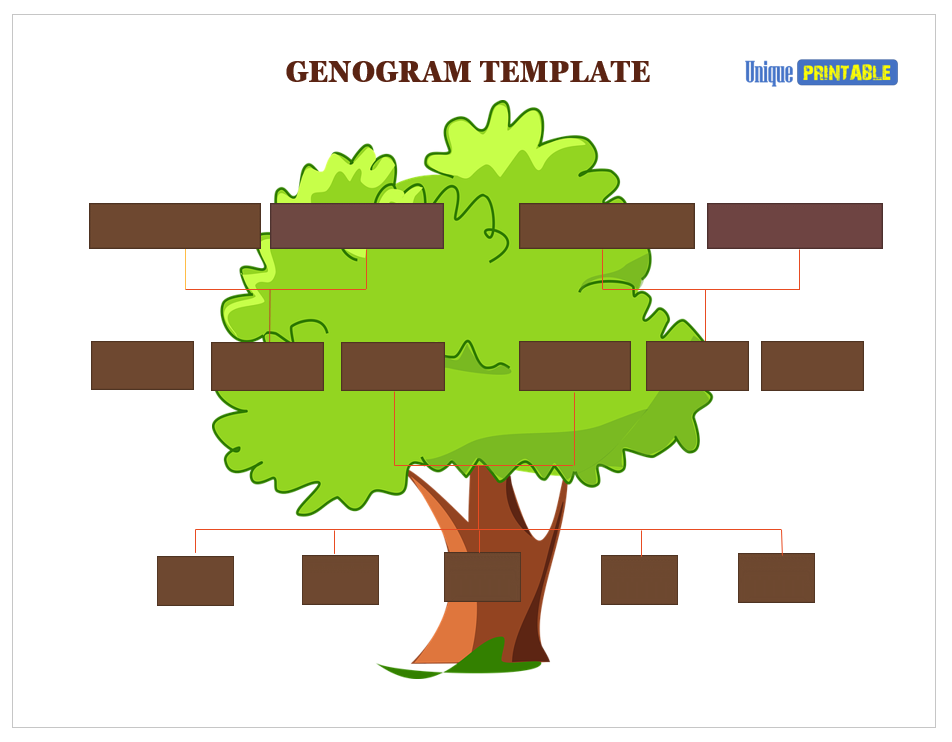
This page gives you nine free genogram layouts, numbered Genogram Template 01 through 09, each with its own download link. That makes it easy to scroll through, compare the designs and grab the one that matches how big your family is and how much detail you need. The templates come with default information already filled in, so you can follow the sample entries and swap in your own relatives.
Before the downloads, the page explains why a genogram is more than a family tree. A family tree lists who belongs to each generation, while a genogram also shows medical history, causes of death, exact ages, relationships and personality traits. It then walks you through a short preparation checklist: understand your purpose, collect information from family members, and learn the symbols, including squares for men, circles for women and the marks used for emotional and family relationships.
The page doesn't say which file format you get, so open the download first and check that you can edit it the way you plan to. The guidance is also general rather than a line-by-line walkthrough of one chart.
Best for: Students and families who want several free layouts to start from.
Pros
- Nine numbered free templates (01 to 09), each with its own download link, so you can pick a layout.
- Templates contain default information that you can follow and replace with your own family details.
- Explains how a genogram differs from a family tree: medical history, cause of death, exact ages, relationships and personality traits.
- Covers the basics before you start: purpose, data collection, squares for men and circles for women, and relationship symbols.
Cons
- The page doesn't state the file format of the downloads.
- The guidance is general; it doesn't walk through building one chart step by step with line styles or shading.
2. Genogram Pro free editor
If you learn best by seeing a finished chart, this is the closest fit. Genogram Pro offers a basic worked example built around the Okafor family. You can open it in the online editor, replace the names with your own and export the result as a PNG or PDF.
The example shows the notation in use rather than just listing it. You can see how couple lines connect partners and how different line styles mark close or hostile relationships, which is the part many students find hardest to picture from a symbol key alone. Genogram Pro says its notation follows McGoldrick, Gerson and Petry's Genograms: Assessment and Treatment, the standard reference for this kind of chart.
Keep in mind that this is a browser tool, not a printable file you keep on your computer, and the page doesn't say whether you need an account. You can try it at the Genogram Pro free genogram maker.
Best for: Learners who want a worked example to open and edit.
Pros
- Lets you open the basic Okafor example and edit it with your own names.
- Exports to PNG or PDF.
- Its example shows the notation in action, such as couple lines and relationship line styles.
Cons
- It is an online editor, so you work in the browser rather than from a printable file.
- The page shown doesn't say whether an account is needed.
3. GenogramCreator Simple Genogram Template
Want a Word document you can open and type into straight away? GenogramCreator offers free PDF and Word downloads with no sign-up. The set includes a blank 4-generation worksheet, a 3-generation scaffold and a symbol quick-reference, so you have both a structure to fill in and a cheat sheet to check your marks against.
The 3-generation scaffold matches what most class assignments ask for, while the 4-generation worksheet gives you room if your family history goes back further. Having the Word version means you can adjust text boxes and labels without special software.
The company also sells an app for iPhone, iPad and Mac, but that only comes with a 7-day free trial, so treat the downloads as the free part. Grab the files from the GenogramCreator simple genogram template page.
Best for: Anyone who wants a free Word file or a blank worksheet with no sign-up.
Pros
- Word download makes editing straightforward.
- Blank 4-generation worksheet and 3-generation scaffold.
- Includes a symbol quick-reference.
- No sign-up for the downloads.
Cons
- The company's app has only a 7-day free trial, so it is not a free ongoing tool.
4. GenogramAI free blank template
GenogramAI offers a free blank in three forms: a US Letter PDF, an editable PowerPoint and an SVG, all without sign-up. PowerPoint is handy if you are more comfortable dragging shapes around a slide than working in a document, and the PDF is ready to print and fill in by hand. Its notation is also said to follow McGoldrick, Gerson and Petry.
The print guidance is practical: print at 100% on US Letter, and it also fits A4. If you are on A4, though, turning off "fit to page" can crop the key, so leave that setting on.
The catch sits in the online tool. The free plan holds only 2 genograms, and PDF, SVG and GEDCOM export are on paid plans, with the Professional plan listed at $12 per month. The downloadable blanks are free; exporting charts you build in the app may not be. See the GenogramAI blank genogram template for the files.
Best for: People who want an editable PowerPoint or a printable blank.
Pros
- Free PDF, editable PowerPoint and SVG with no sign-up.
- Print guidance: US Letter at 100%, also fits A4.
- Notation said to follow McGoldrick, Gerson and Petry.
Cons
- The free plan holds 2 genograms.
- PDF, SVG and GEDCOM export are on paid plans; the Professional plan is listed at $12 per month.
- Turning off fit-to-page on A4 can crop the key.
How to choose
Start with what you actually need to hand in or keep:
- Want several layouts to pick from? Start with the nine templates on the Unique Printable page.
- Want to learn from a filled-in chart? Open the Genogram Pro example and edit it.
- Need a Word file? GenogramCreator offers one with no sign-up.
- Want a PowerPoint? GenogramAI has one, but check which exports are paid.
If you are unsure, it doesn't hurt to combine them. Study a worked example to understand the notation, then fill in a blank template with your own family.
Symbols to get right in any genogram example
Whichever template you choose, the chart only works if the symbols are consistent. The Genogram Pro basic genogram example lays out the common conventions, and these are the ones to check first:
- People: Men are squares and women are circles. In a couple, the husband usually sits on the left and the wife on the right.
- Children: They hang from the parents' couple line in birth order, with the oldest on the left.
- Marriage and divorce: A marriage is a solid couple line with the marriage year above it. A divorce adds two slashes across the line, along with the years.
- Death: An X goes through the person's symbol, with the date and age at death noted beside it.
- Health conditions: Use shading, with one color per condition, and keep the key on the same page so anyone reading can match the colors.
- Generations: Most genograms span at least three generations: you, your parents and your grandparents. Add great-grandparents when the history calls for it.
A quick tip: names usually go below each symbol and birth years above. Settle on one layout for labels before you start, because switching halfway through makes the chart hard to read.
Privacy and accuracy
A genogram can hold sensitive details about people who never agreed to be on it, so handle it with care. The Pabau family genogram template describes the information about relatives as the patient's report of family history, not the relatives' own medical records. In other words, your chart shows what you know or were told, which may not match a doctor's file. Note anything you are unsure about rather than guessing.
Pabau also advises storing genogram information securely and not sharing it without written consent. That is the vendor's own guidance rather than a rule for every situation, but it is a sensible habit, especially if you are sharing a chart for a class.
Finally, remember that several of these sites are software vendors. The free files are genuinely free to download, but expect upgrade offers alongside them, and check what is included before you build a large chart inside any online tool.